


Free
- Swaps your face onto the largest face in the image
- Daily free credits
Add the free Picsi.Ai extension to Chrome and swap your face onto images on MidJourney, X, Facebook, Google Images and more, without leaving the page.
Add the extension from the Chrome Web Store, then pin it from the puzzle icon in the toolbar.
Click the Picsi.Ai icon, log in with Discord and upload up to 4 source faces.
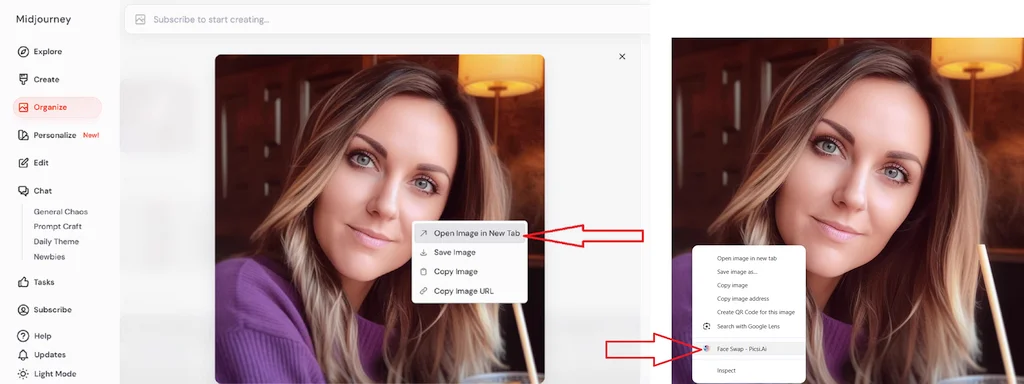
On any image with a face, choose Face Swap - Picsi.Ai from the menu.
Right-click the swapped image and save it to your computer.
Fully supported on these sites. Elsewhere, right-click any image with a face: if Face Swap - Picsi.Ai appears, give it a try.
On MidJourney, open the image in a new tab first. Instagram is not supported, because its images cannot be downloaded.
On a free plan, make sure the image has a clear, human-like face: the largest one is swapped. Paid members should right-click directly on the face they want.
Please follow our Terms of Use when using the extension.
Free to install. Upgrade any time to pick faces and get more daily credits.